Dive computers are essential piece of equipment for scuba divers, as it offers real-time data to ensure safety and enhance the whole diving experience. “Master the Dive: Understanding and Choosing the Best Dive Computers” guides you through the key features, types, and considerations to help you in choosing the best dive computers for your diving needs. Whether you’re a beginner or an experienced diver, this post simplifies the decision-making process, ensuring you make an informed choice.
Introduction to Dive Computers
You can use dive tables, a dive watch and depth gauge track your dives, but most scuba divers prefer using a dive computer, as it’s easier. With a dive computer, you will have the needed real-time dive information to dive well.
A dive computer uses depth and time data to calculate nitrogen levels in your body based on a decompression model. Your computer constantly updates you on your safe remaining dive time.
Your computer integrates a depth gauge, timer, and sometimes a submersible pressure gauge (SPG) into one useful tool. Most divers purchase their own dive computer because it makes sense. Visit your local PADI Dive Center or Resort to get more information and advice about dive computers.
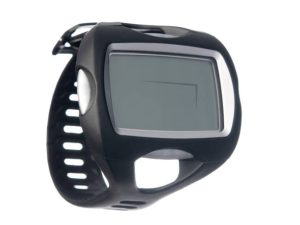
Standard Features
- They are clear, often color-coded, display which show this information:
- No stop limits.
- Time.
- Depth.
- No stop time remaining.
- Emergency decompression.
- Ascent rate.
- Previous dive information.
- Enriched air compatible.
- Low battery warning.
Optional Features
- Air integrated to display the remaining air in your tank. While some models connect with a hose to the regulator, some feature a quick disconnect. There are also other models that receive air supply information from a transmitter on the first stage of the regulator.
- Digital dive computer and watch in one small unit.
- Manual or automatic adjustment for altitude diving.
- Rechargeable or replaceable batteries.
- Some tec dive computers or multiple gas computers for technical diving feature a Closed-Circuit Rebreather (CCR) mode.
- Connect with your regular/laptop computer to download your dive data.
- Built-in thermometer or electronic compass.
- Decompression models that are self adjusted.
- Dot matrix screens with menus for playing games during safety or decompression stops.
- Mask display showing essential dive information at a glance.
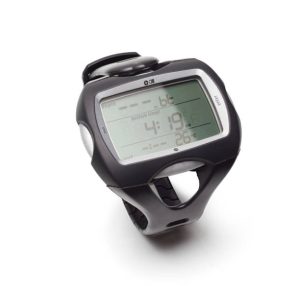
Types Of Dive Computer:
-
Console Computer/Dive Gauge
Console computers attach to your BCD via a hose, combining pressure and depth gauges with a computer.
-
Dive Computer
Dive computers are very common with dive schools around the world. You can wear it on the wrist, as if it was a watch, which makes this information easy to see while diving.
-
Dive Watch
Dive watches are considered slightly more compact than dive computers. They function as regular watches outside the water. This is a great choice for dive professionals or those who dive regularly.
Choosing the Best Dive Computers
There are many types of dive computers and you can ask for help from a dive professional from your local PADI dive center or resort to find the right one.
Ask yourself about the type of diving you practice now and are going to do in the future and also the type of dive computer that works with my current equipment, or about the complete equipment package that includes the type of computer you want.
Look at dive computers containing features that match your equipment setup and dive style.. Evaluate:
- Can you clearly read the data while putting on your mask?
- Do you find numerical data easier to interpret, or do you prefer visual representations like charts or graphics?
- Do you know how to get the needed dive information?
Invest confidently in a quality dive computer, get what you need, and start scuba diving—that’s the goal.