Imagine yourself diving into the colorful underwater world, relying on the accuracy and dependability of your gear. Both your dive computer and watch are considered vital lifelines. With them, You will have a safe and assured exploration of the deep.
But like any trusted companion, they need both care and attention to perform their best. In this guide, we’ll share essential tips for caring for your dive computers and watches to keep them reliable and ready for every dive, from shallow reefs to deep-sea adventures. Let’s dive in!
The Main Difference Between Dive Computers and Dive Watches
In casual conversations, some scuba divers might confuse “dive watch” with “dive computer,” but each one is considered a distinct piece of scuba gear.
The main difference between dive computers and dive watches is that dive computers are especially made for scuba divers to provide them with all critical dive data at a glance. On the other hand, dive watches are only used to track dives beside a depth gauge and traditional dive tables, and their main strength lies in enduring pressure and deep-sea conditions.
Dive computers are considered special complex tools that are specifically made for scuba diving. Modern dive computer has the same size as the dive watch and functions like smart devices, as it calculates oxygen levels, depth, bottom time, ascent rate, and so much more.

Caring for Your Dive Computers and Watches
Proper care ensures your dive computers and watches stay reliable and last longer for your underwater adventures.
Follow the next tips for caring for your dive computers and watches:
Caring For Dive Computers
- Rinse your dive computer thoroughly with fresh water after every time you go diving, then dry it with a soft towel to clean it from any salt and organic material.
- Focus on cleaning metal contacts occasionally with a soft toothbrush and mild detergent to remove any perspiration, sunscreen, salt, and other deposits.
- Most manufacturers of dive computers recommend service checkups every 1-2 years for seal check, calibration, and function check. By this way, you have a chance to avoid problems before ending your dive trip.
- Check wristbands and buckles for damage, such as wear, tears, or corrosion, and replace if necessary.
- Protect your dive computer from direct sunlight, heat, and harsh chemicals or solvents, which can damage waterproof seals.
- Store your dive computer in a cool, dry and ventilated place. Never store it in damp environments for prolonged periods.
- When traveling, Pack your dive computer securely, using padding like wetsuits, and carry it in your hand luggage if feasible.
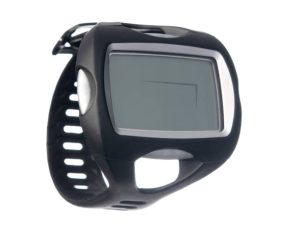
Caring For Dive Watches
- Ensure screw-down crowns are secure and tightened before diving to avoid leaks.
- Rinse your dive watch thoroughly with fresh water after scuba diving, and pay special attention to both the clasps and the rotating bezel.
- Service it every 1–2 years in order to replace seals if needed.
- Clean metal or rubber bands using a mild detergent beside soft brush to remove any skin, salt, and dirt deposits. Then dry thoroughly.
- Get the battery replaced by an authorized dealer for watertight cases