To know what to do when your dive computer quits, let’s explain in the form of a story. Imagine yourself swimming in the waters of the Caribbean along an enormous wall in which you are surrounded by clear blue water above and below you while drifting along in a mild current.
You’re taking your time enjoying witnessing the wide variety of coral and marine life in its natural habitat, looking into the deep water now and then to see if there is any passing shark.
Seems Like an Ideal Dive, Right?
Well, we forgot to say that this is the second dive of the day. Your dive computer showed a No Decompression Limit (NDL) of 8 minutes at a depth of 27MSW (90FSW) the last time you saw it. You decided to stay for another minute or two before ascending for a multilevel dive.
A few moments later, you notice your computer screen is blank. You tap the screen, but it remains blank without showing any information.

Your Dive Computer Has Failed at 27MSW/90FSW During Your Second Dive, with Your NDL Approaching. Now What?
Recognize this as an inconvenience, not an emergency. Check the cylinder pressure to assess your breathing gas supply. You have sufficient breathing gas, which allows you to focus on finding an effective solution.
Since your dive computer is an essential piece of equipment (Just like your mask and fins), you should understand that if it fails; The dive ends immediately, with no exceptions.
Signal with “thumbs up” hand signal to your buddy or team to “end the dive”. Point to your computer so they see it’s dead and work your way shallow together. Your dive buddy has a way to monitor ascent rate and depth, so stick together.
If you stick together, you will make sure you will conduct a controlled ascent to 15-20FSW. After getting there, you should do an extended safety stop (gas permitting) As you can’t confirm staying within your NDL. After surfacing, Inform the dive crew what happened. They may recommend skipping the next dive and taking a break for the day.
So How Can We Avoid This From Happening Again?
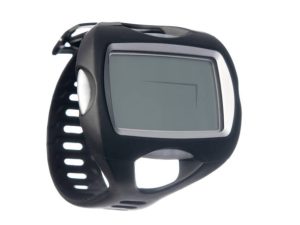
Be proactive while conducting predive checks (ABCDE) and remember “C” stands for computer. During predive checks, ensure your dive computer is on, set to the correct gas, and has enough battery power for the dive. If not, change it out. Also, if your dive computer need batteries, carry additional one to avoid risking its battery life.
Carry a backup timer, depth gauge, or secondary dive computer to enhance your resources; this will enable you to monitor both time and depth, as a backup to your primary dive computer.
Keep air dive tables in your pocket for reference during the dive if necessary. If you are using nitrox while diving, you will need to add in some conservatism to the dive.
Remember, if your dive computer quits, stay calm. It’s not considered an emergency; it’s just an inconvenience. Being proactive versus reactive will minimize the possibilities of this happening on your future scuba dives. Contact your local SDI dive center for details on secondary dive computer options and considerations.