If you’re a scuba diver, you must invest in a high-quality dive computer. It is a vital part of your scuba kit that ensures your safety underwater. Your dive computer offers vital information about your dive like your dive depth, time, gas levels, ascent rate, and more.
Your dive computer monitors your limits and alerts you if you exceed them. It’s your underwater lifeline, so it must function properly. It collects data specific to your diving and helps you avoid accidents like decompression sickness. The proper dive computer care can guarantee having accurate readings and keep you away from danger.
Due to its important role, a dive computer can be costly. To make it last for many adventures, invest in a good one and care for it properly. With some extra attention, you can extend its lifespan.
If taking care of your scuba diving equipment is important to you, continue reading for the best tips for dive computer care.
10 Tips for Dive Computer Care
Your dive computer is more than just a tool, it’s your trusted partner underwater, as it will help you stay safe and track your dives. To keep it working well and avoid problems, it’s important to make proper dive computer care.
In this guide, we’ll share 10 easy tips for dive computer care to help it last longer and stay ready for every adventure. Let’s get started!
1. Read the user manual.
2. Check the batteries.
3. Put a protective screen.
4. Check screws, buckles, and straps.
5. Rinse with fresh water after each dive.
6. Don’t expose to direct sunlight.
7. Use a soft cloth to dry.
8. Backup your dive logs.
9. Store properly between dives.
10. Do service checkups.
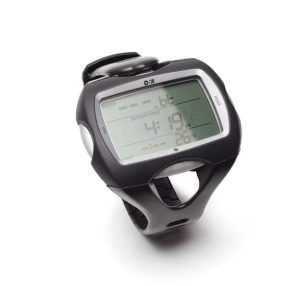
1. Read the User Manual
Take your time to read the user manual of your dive computer before using the device. While it might not be the most exciting content, it provides essential details about using your first dive computer.
Not all dive computers are the same, and the user manual is crucial to maximizing their functionality. Prioritize following the recommendation of the manufacturer from settings and features to even maintenance.
2. Check the Batteries
The battery is considered the life force of the dive computer. Ensure your batteries are charged and ready before each dive, as they are essential for operation.
After many dives, you may need to recharge or replace your dive computer. Once your computer shows the sign of low battery sign, charge it with the charger or replace it to avoid dive computer failing during a dive.
Replace your batteries following the manufacturer’s instructions. Some warranties can be voided if you attempt to replace the batteries on your own.
The batteries of the dive computer can last up to 2 years but this also can vary on how many times you use it. Note when you change the batteries so you’ll know if they might need changing soon.
3. Put a Protective Screen
Scuba diving is tough, and it’s easy to scratch your dive computer screen while moving during a dive. Scratches can ruin the look of your dive computer and make it hard to read, so it is recommended to use a screen cover to protect it.
Some dive computers come with protective sheets which you can istall them easily by yourself. If not, you can purchase dive computer screen guards from sites like Amazon or Scuba.com. Just ensure it’s compatible with the model of your dive computer.

4. Check Screws, Buckles, and Straps
One of the important things that should be involved in your dive computer care routine id to check the buckles, hose, and straps for any signs of damage. After seeing any wear and tear, you must replace it immediately.
There are several scuba divers who lost their dive computers due to straps breaking ans never find them again.
5. Rinse with Fresh Water After Each Dive
Another important step in the dive computer care routine is rinsing it with fresh water after every time you go diving. This helps in removing any sand, salt, or other residue that may have picked up with you from your dive.
Be aware of the buttons and areas in which salt or sand might get trapped. Pressing the buttons underwater helps dislodge any debris stuck in small gaps.
Remember not to leave it submerged under fresh water for a long time because this might keep the computer active and consume more battery.
6. Don’t Expose to Direct Sunlight
Your dive computer included very sensitive components. Like any other electronic devices, your dive computer can be damaged in case of prolonged exposure to extreme heat. Never expose or dry your dive computer under direct sunlight. Ensure to store it in a cool and dry area before and after scuba diving.
7. Use a Soft Cloth to Dry
After you rinse your dive computer in fresh water, dry it with a soft, lint-free cloth. Wipe any excess water gently from the surface, then crevices of your dive computer. Never worry if you can’t reach some tight places. Dry the computer in a cool and dry area.
Avoid using compressed air blowers on dive computers, as they can harm the sensors. Underwater photographers may use these blowers for drying camera housings, but they are unsuitable for dive computers.
8. Backup Your Dive Logs
A dive computer also works as a dive log, recording your dive history to a certain limit. Some dive computers store only a few dives, while others store hundreds.
Regardless of the dive memory capacity you have, another best step to take is to back up your dive logs.
Many manufacturers of dive computers have their own software or apps to help you back up your dive logs to make it more easy. If recording your dives matters to you, regularly sync your dive computer with the app after each trip.
9. Store Properly Between Dives
When not diving, keep your dive computer in a case or pouch to protect it. If you’re not diving for a while, check the dive computer occasionally to ensure the batteries are still good and to prevent battery corrosion damage which can damage the entire device.
When traveling, It’s better to carry your dive computer with you rather than placing it in checked luggage. This is to prevent theft and also to avoid damage from the rigorous luggage manhandling.
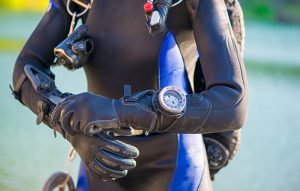
10. Do Service Checkups
Regularly send your dive computer to authorized centers for service checkups to maintain its condition. This ensures the sensors function correctly and remain properly calibrated.
They can inspect all parts to ensure they are in good condition and free from salt damage or buildup. Though it may cost more, it’s a worthwhile investment for your safety and peace of mind during dives.
Regularly check for firmware updates, which are often easy to install using the apps or software of the manufacturer.
If you’re not tech-savvy, contact your dive computer’s customer service or service center for assistance.