Imagine yourself diving into a world beneath the waves, surrounded by colorful marine life and endless blue. This adventure doesn’t look like any other adventures, as it requires careful planning and safety.
That’s where your dive computer comes in. This handy device is your guide underwater, as it prioritize your safety by providing you with vital information to help you avoid decompression sickness and lung over-expansion
In this article, we’ll show you how to use a dive computer, so you can dive with confidence and enjoy every moment of your underwater adventure.
What Is A Dive Computer?
A dive computer typically resembles a regular watch. Its main function is to monitor both your time and depth during a dive. The real-time data ensures you dive within safe limits for time (without staying for any longer) and depth (without going any deeper), considering your previous dives that day.
Essentially, dive computers provide you with the same information of the dive tables but digitally. Dive tables determine how long you can stay underwater at a specific depth.
Dive computers calculate this digitally for both your first and repeat dives, while also tracking ascent rates as well as decompression stops.
Keep reading to know all the information that is provided by a dive computer and how to use it!
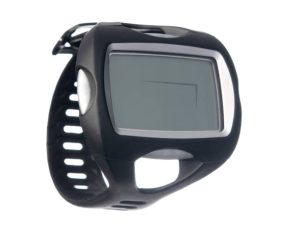
How To Use A Dive Computer
Dive computers feature big screens with large digits to provide you with easy to read information. Here’s the basic information shown on scuba dive computers.
Information Found On Dive Computers
1. No-stop Limits
The no-stop limits on your dive computer are digital versions of dive tables. It enables you to know the proper time for making decompression stops while ascending (if any are needed). And for how long to stop (countdown included).
2. Time
This is how long you have been diving. As you know, the ‘real’ time seems to vanish when you’re discovering this hidden world.
3. Dive Depth
Your current depth below the surface.
4. Previous Dive Info
You should keep the previous dive information, as it is considered very essential to log them into your dive book later. It is also important to consider this information when you are going to fly any time close to a dive.
Remember: you should stay on land at least for 12 hours before flying after a single dive. Or for 18 hours after multiple dives.
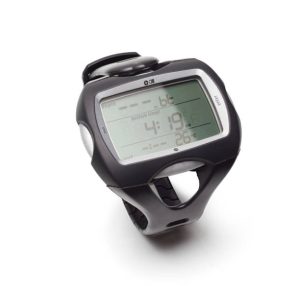
5. Ascent Rate
This shows how fast you’re going up. The dive computer will beep loudly if you are ascending with a speed faster than 30ft/9m per minute.
6. Emergency Decompression
It alerts you if you’ve ascended by a wrong way and need an emergency decompression stop.
7. No Stop Time Remaining
It is also called no-decompression limit (NDL), which is the theoretical time a diver can spend at a specific depth without the need to conduct a decompression stop. Keep reading to know all about this acronym.
8. Enriched Air Compatible
Scuba diving with enriched air enables you to stay underwater longer and go deeper by extending your no-stop limit. This is considered very helpful when it comes to repetitive dives.
9. Low Battery Warning
It is highly recommended to always check the batteries of your dive computer before you go on a dive holiday. It will be a good safe practice to replace them once a year, or after roughly 50 dives.
Pro Tip:
Some dive computers are highly advanced and offer a long list of additional features. For example, they have the ability to be connected to your laptop and apps to save data and monitor your dives.
These devices can have many features, such as extra batteries and chargers, electronic compass, CCR (closed-circuit rebreather) mode, thermometer, Discuss with the salesperson which features you want or need.